QR Scevio
APP STORE ↗free · iPhone
qr-scevio
- status
- live on the App Store
- role
- product, build, test, release
- stack
- Swift, SwiftUI
- ui
- 50/50 tests on each iOS version
- unit
- 190+ test runs
- data
- 0 collected
src · release report v1.0 · App Store privacy label
Know before you open.
Check what a QR code holds on your iPhone before anything opens, then decide what to do with it.
Purpose
A QR code hides its destination until it is too late. Scanning normally hands the decoded content straight to another app. QR Scevio separates decoding from acting: the destination is inspected first, and the decision stays with the person holding the phone.
Behavior
Decoding data and acting on it are separate steps. That small boundary is the product.
- Scan. Use the camera or select one image. QR Scevio decodes the content without opening it.
- Inspect. Read the full destination and review local signals such as HTTP, private addresses, mixed writing systems, or tracking parameters.
- Decide. Open, copy, share, save, or walk away. External action always requires an explicit choice.
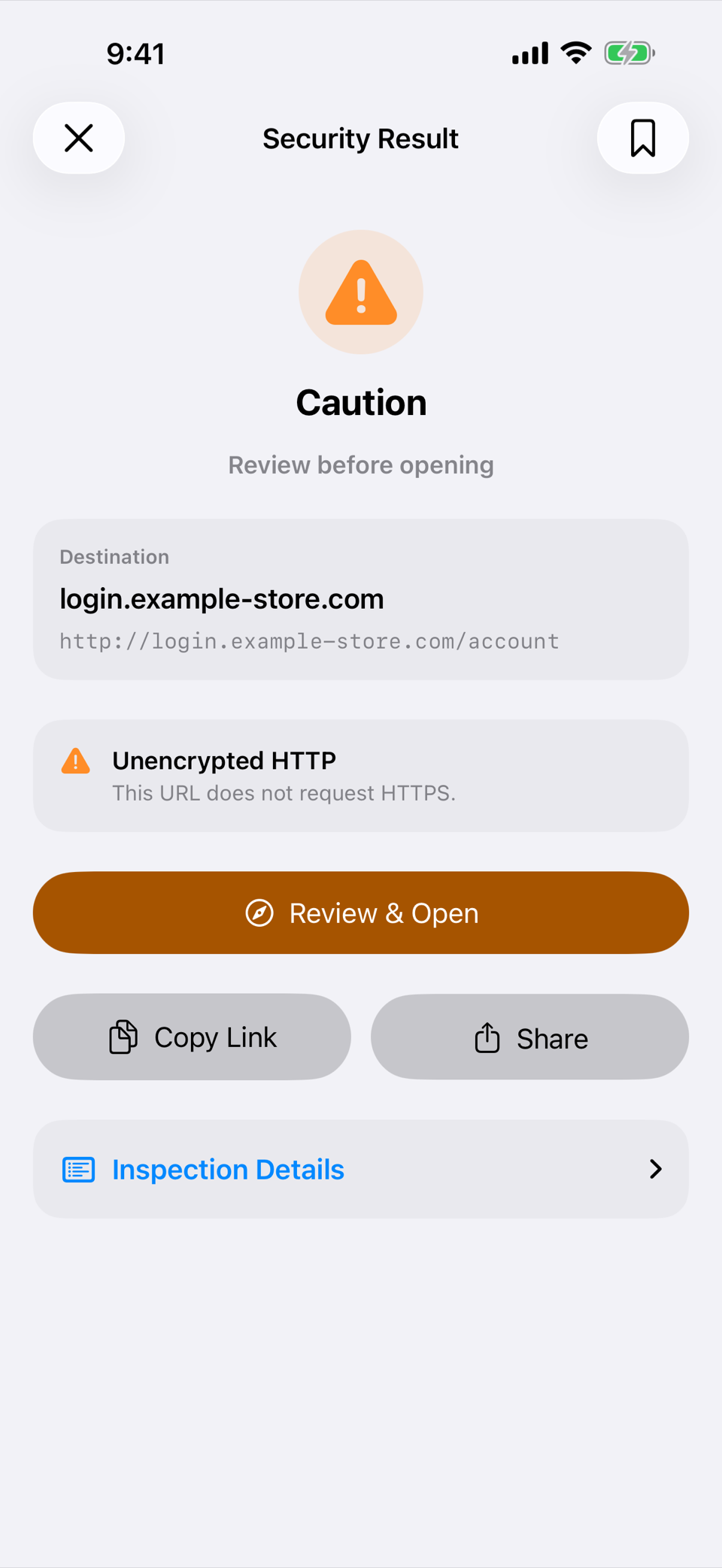
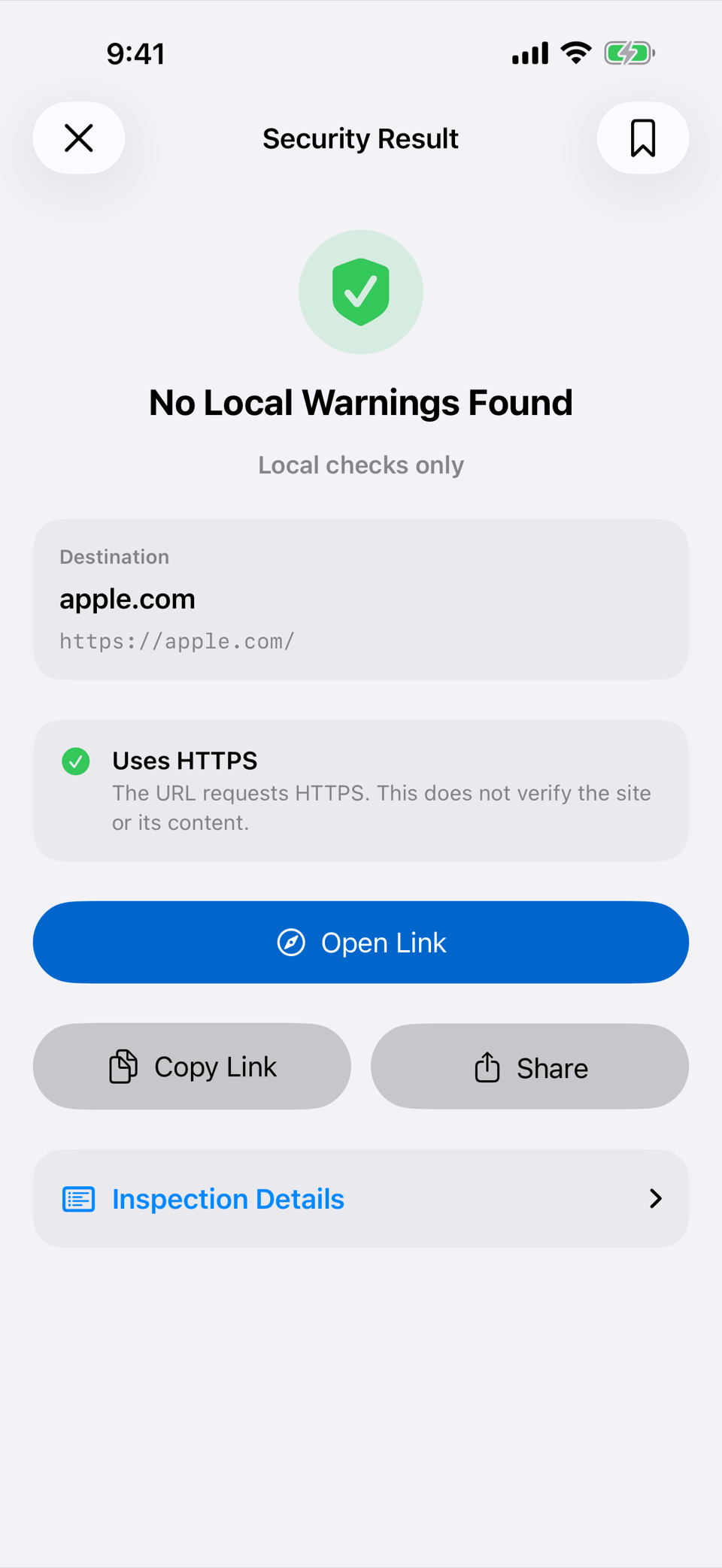
The result screen reports what the on-device checks found. It never claims a link is safe.
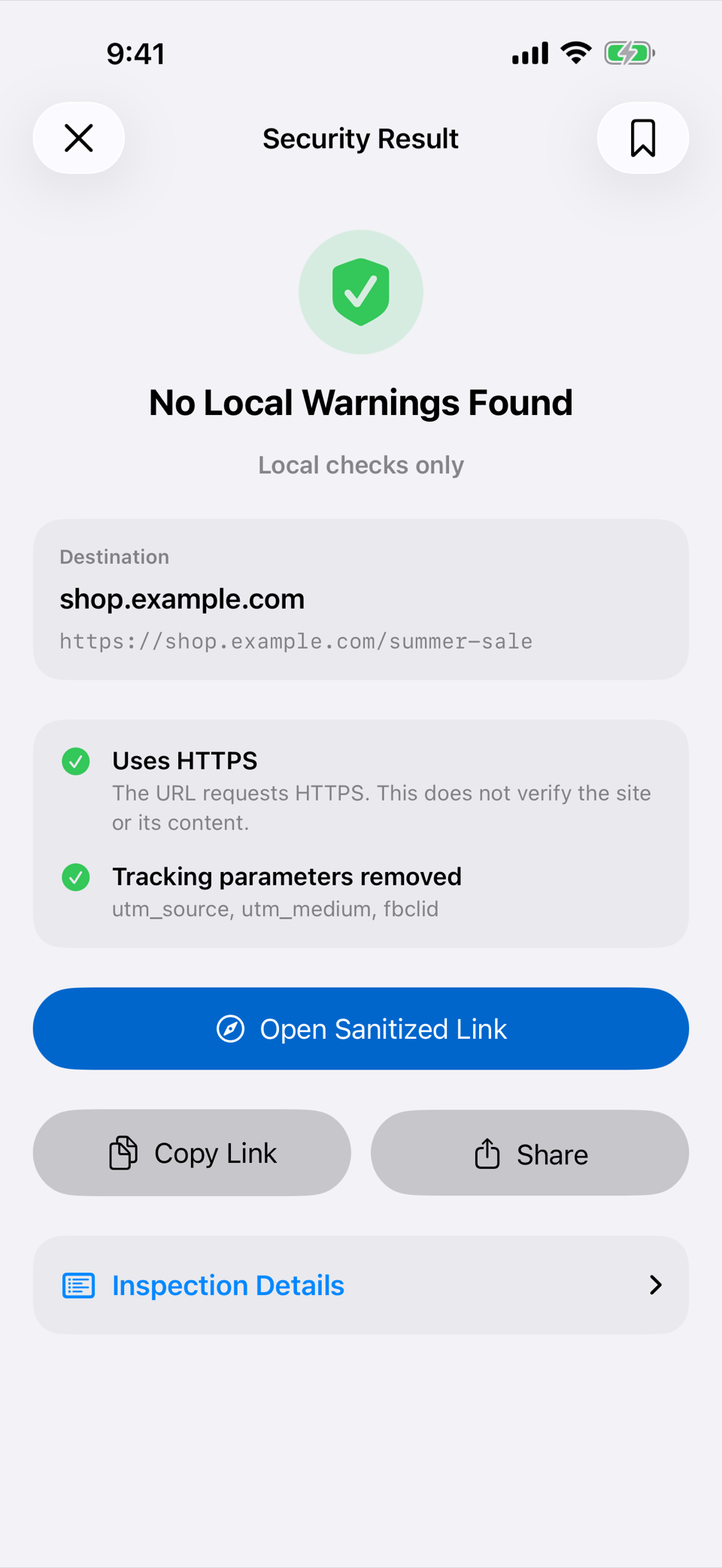
- No Local Warnings Found
- The checks found nothing to flag. The host and the full decoded link still appear before any action.
- Caution
- Something is worth a look first. The app explains it in plain words, and opening takes a second confirmation.
- High Risk
- The app asks you to confirm the host by name before it opens anything.
By default, common tracking parameters are removed, and the result screen lists them before you open the sanitized link.
Privacy
QR Scevio has no account, analytics, advertising, telemetry, embedded web view, or networking code. Inspection happens on your iPhone.
- can
- Make the input legible. Show decoded content, identify built-in local warning patterns, and remove common tracking parameters when enabled.
- cannot
- Guarantee a destination is safe. It does not visit the site, follow redirects, expand short links, perform DNS lookups, or use an online reputation service.
- means
- “No Local Warnings Found.” The app found nothing to flag in its own on-device checks. It is never a verdict about the site itself.
The full policy: Privacy policy.
Testing
Before release, v1.0 build 1 was verified with the unit suite and the UI suite on two iOS versions, plus a signed build on physical hardware. Method, decisions, and the verification matrix are in the engineering record.